 AQUILA ONE LABS
Four steps, start to finish.
How TransitionGuard works, with screens from the app.
Browse help →FeaturesThe workflow
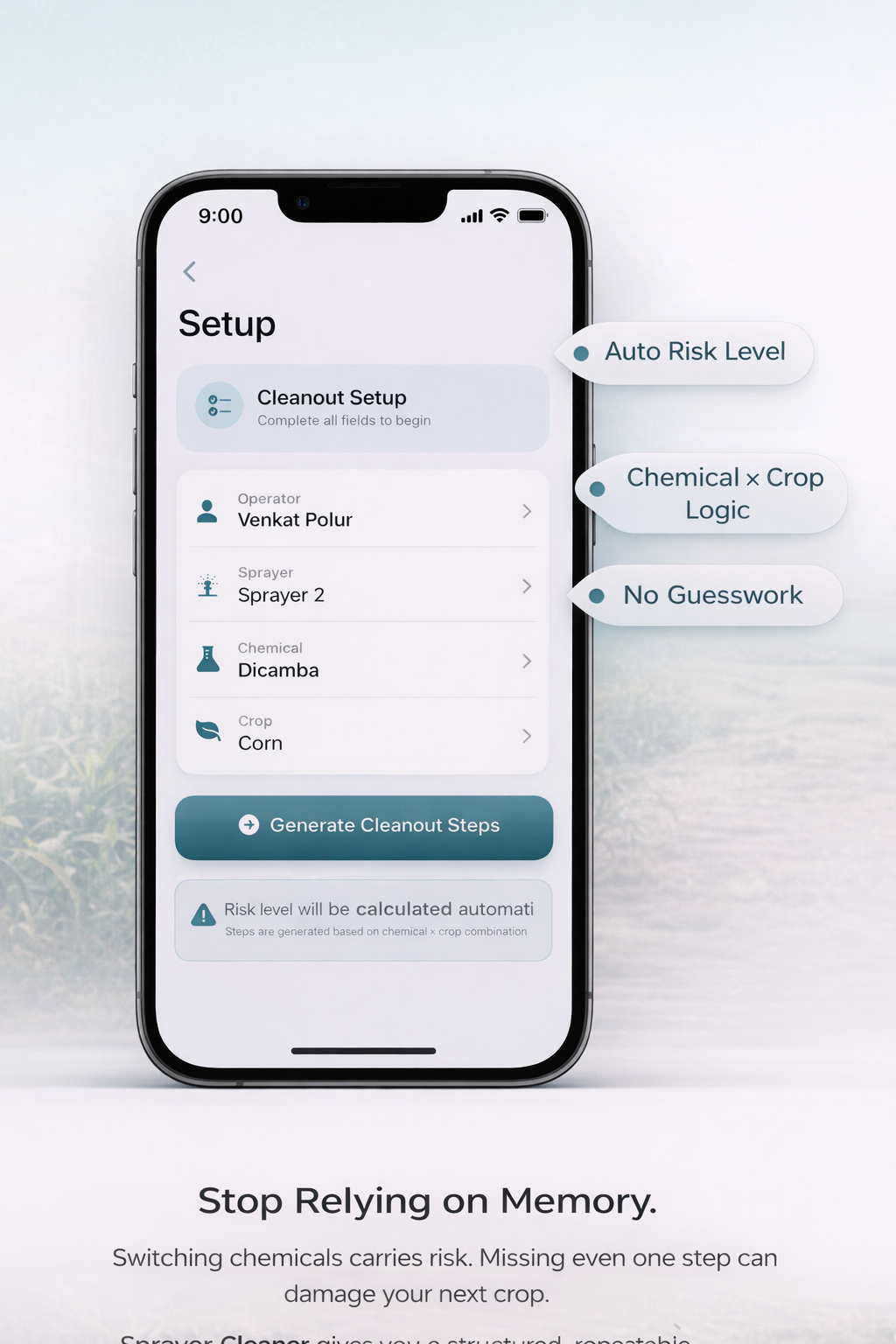
Select your sprayer and chemical
Choose your sprayer, the chemical you used and the crop you are switching to. TransitionGuard calculates the risk level and generates the cleanout protocol.
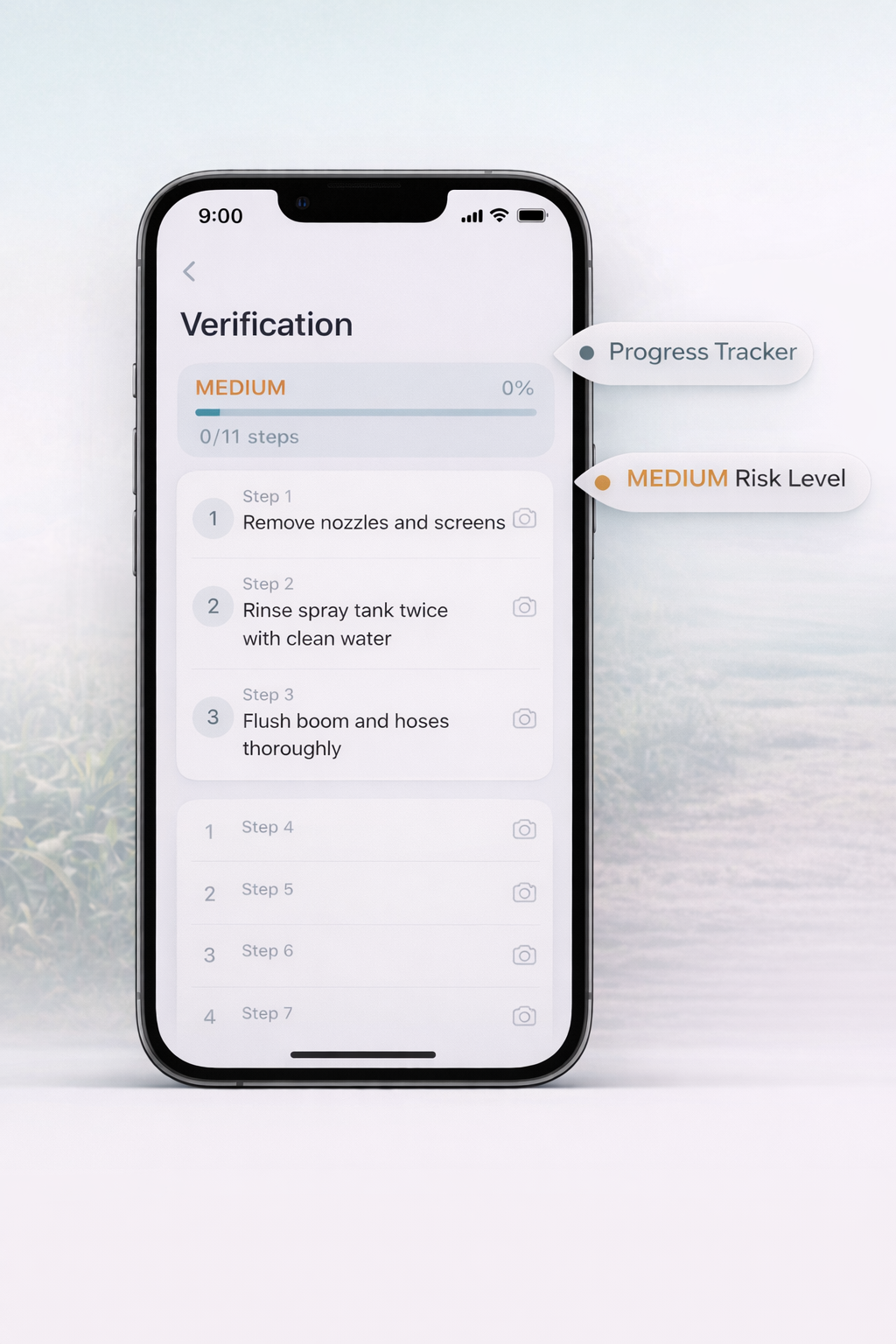
Follow the guided checklist
Work through a structured, step-by-step process for that chemical and crop, with a progress tracker and a risk level indicator.
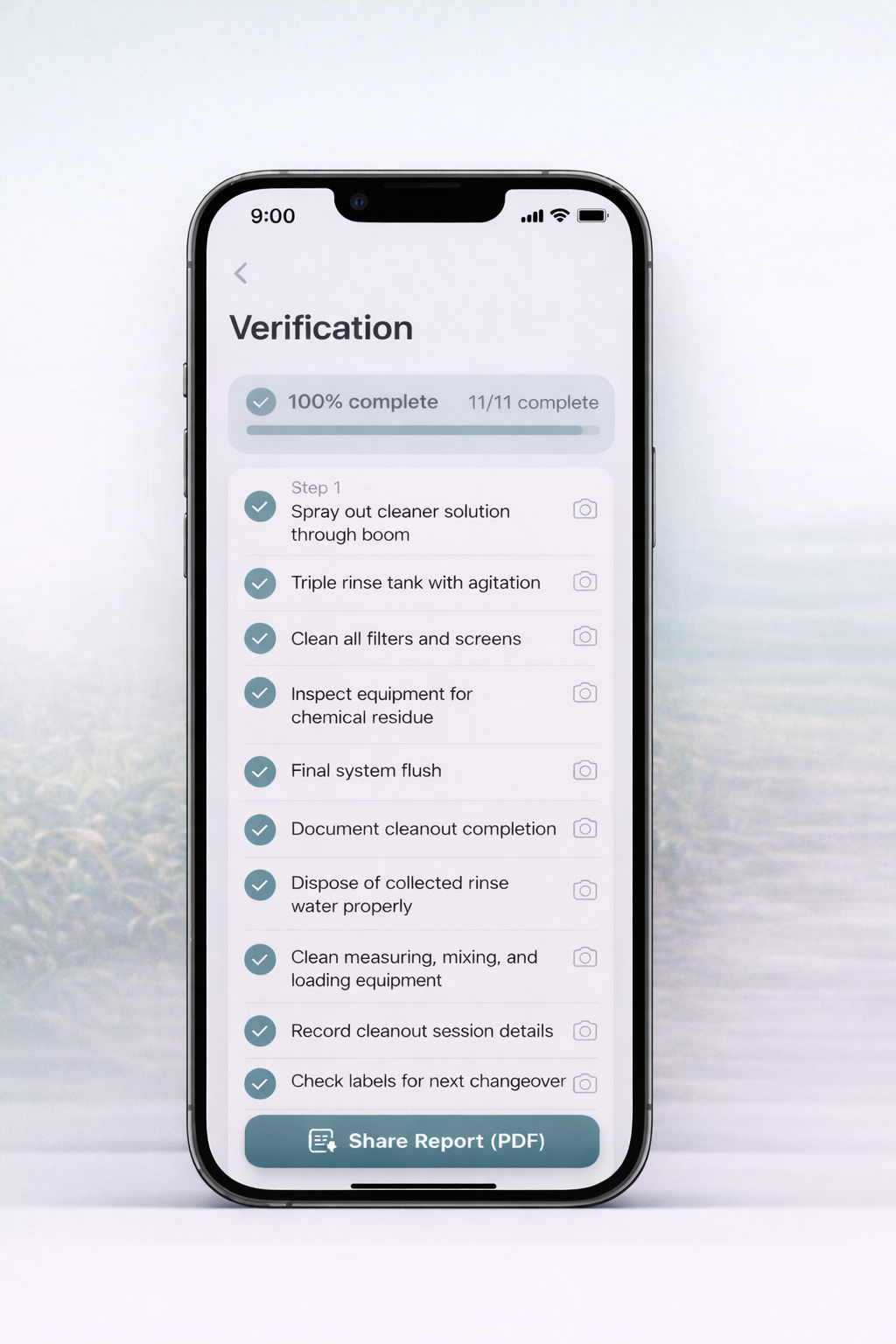
Track progress to completion
Progress updates as steps are completed. When every step is done, the cleanout is verified and ready to document.
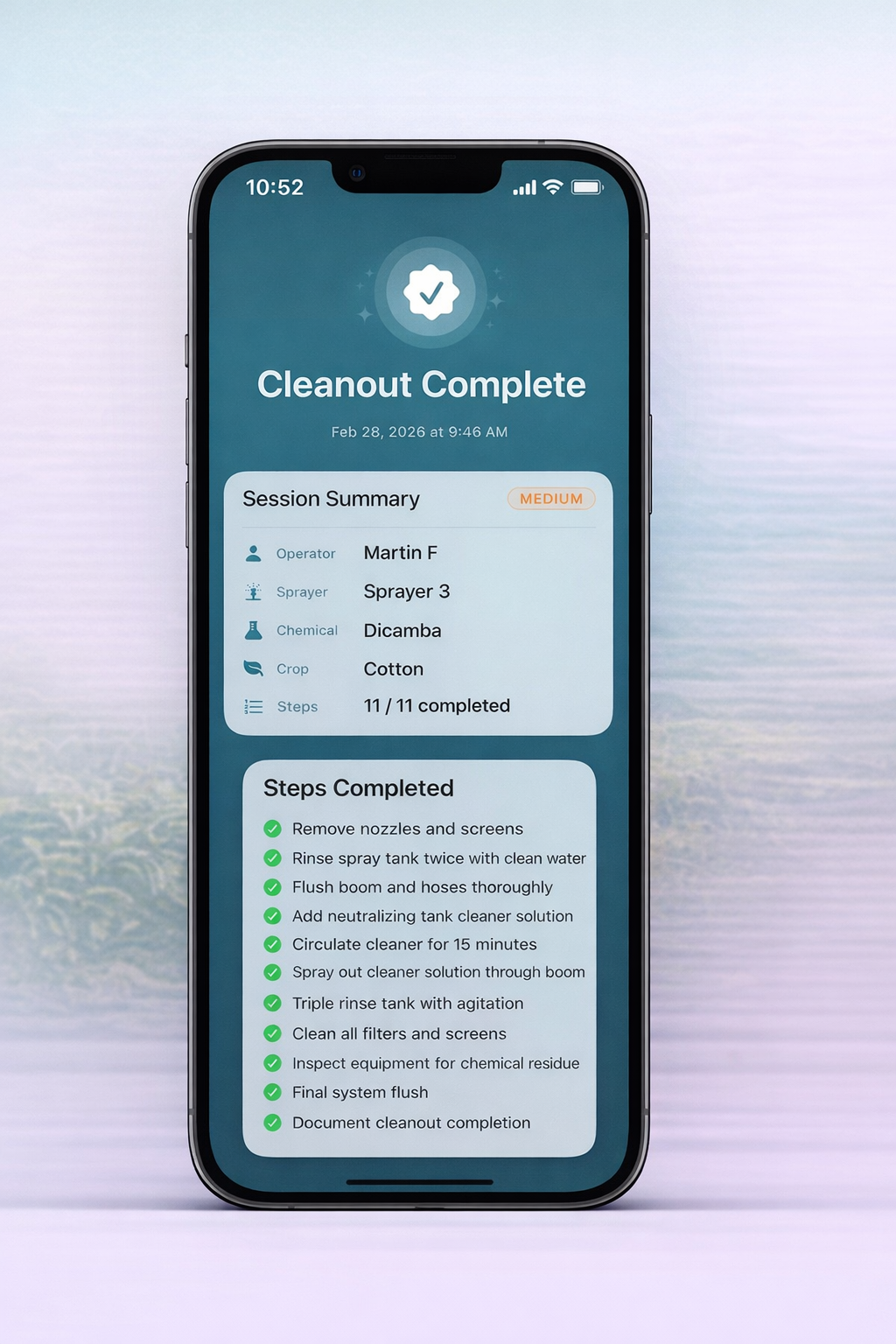
Document the cleanout
The session records the operator, sprayer, chemical, crop, risk level, timestamp and completed steps, and can be shared as a PDF report.
Ready for the detail? See the help articles or every feature.
Need the detail?
Each step has a help guide with prerequisites, numbered actions and what to do if something does not work.