 AQUILA ONE LABS
NUVOSHI WEALTH · HOW IT WORKS
Four steps, start to finish.
How Nuvoshi Wealth works, with screens from the app.
Browse help →FeaturesEXPLORE / NUVOSHI WEALTH
The workflow
01
Add your accounts
Connect a bank through Plaid, or add accounts by hand. You sign in on your bank’s own page, and the app never sees or stores your bank password.
02
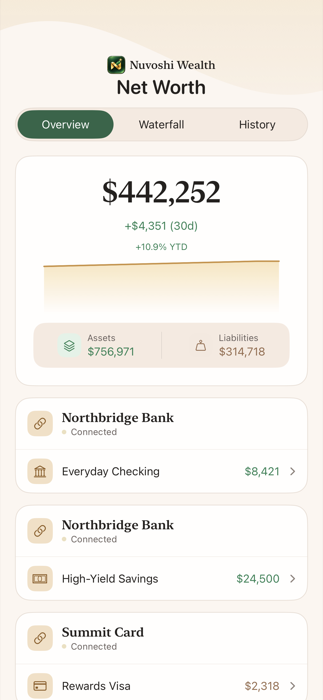
See your net worth
Assets, liabilities and a trend line, with accounts grouped by bank and a balance history for each one.
03
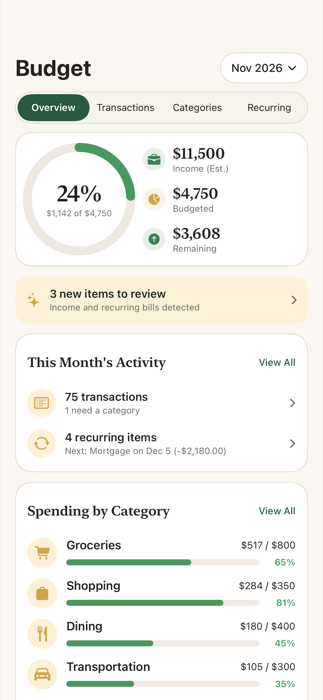
Set your budgets
Automatic categories you can change, monthly limits, and a clear view of spending against them.
04
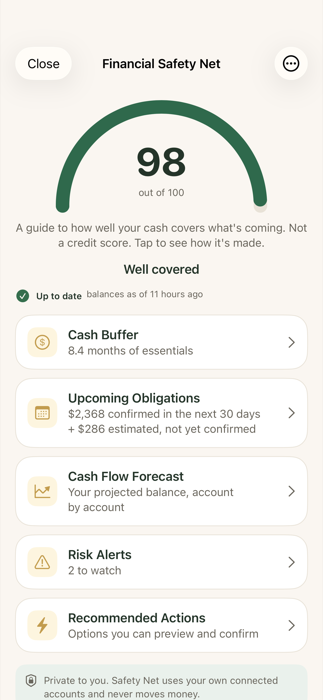
Check your Safety Net
See how long your cash would last, what is due soon, and where a balance could dip below a level you choose.
Ready for the detail? See the help articles or every feature.
GO DEEPER
Need the detail?
Each step has a help guide with prerequisites, numbered actions and what to do if something does not work.