
Nuvoshi Wealth
One calm place for your net worth, your spending and your goals. See where you stand, plan the next step, and share with the people you choose.
Everything in one place
Built for people who want a clear picture without the noise
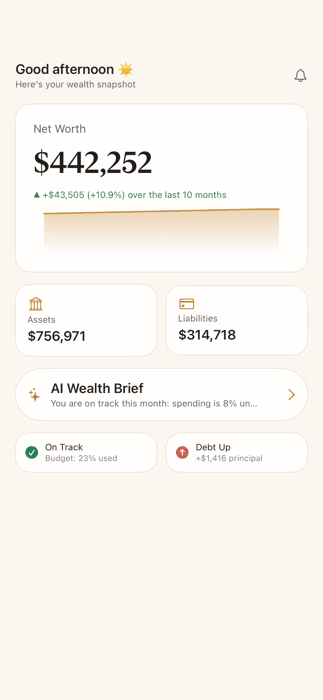
Net worth at a glance
Assets, liabilities and a trend line, with accounts grouped by bank and a balance history for each one.
Read-only bank connections
Connect through Plaid, or add accounts by hand. We never see or store your bank password.
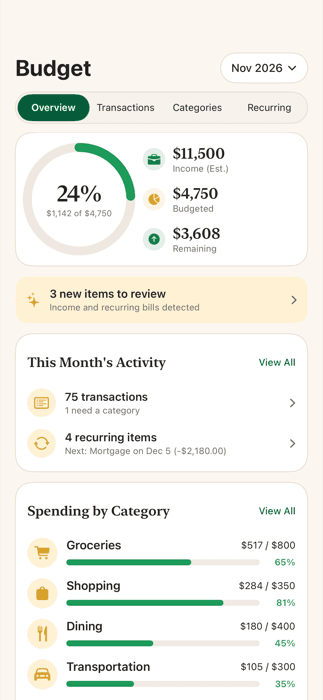
Budgets that make sense
Automatic categories you can change, monthly limits, and a clear view of spending against them.
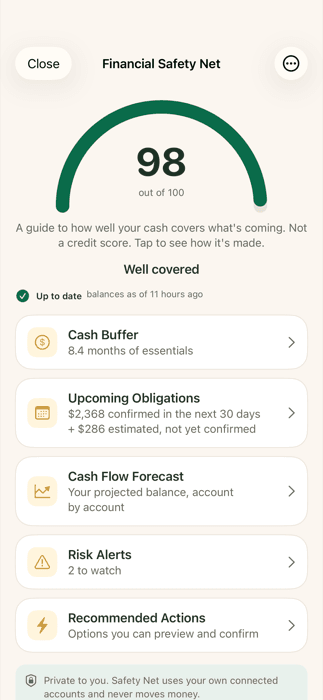
Safety Net
See how long your cash would last, what is due soon, and where a balance could dip below a level you choose.
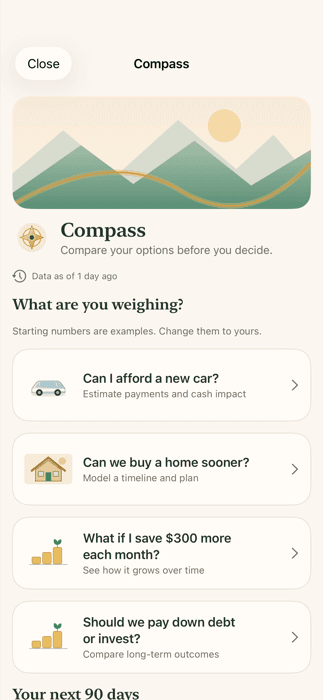
Compass
Compare your plan with a big decision before you make it, and keep a journal of how it went.
Households
Invite a partner or family member. Nothing is shared by default; each person chooses what others can see.
A look inside
Questions
Does Nuvoshi Wealth see my bank password?
No. You sign in on your bank’s own page through Plaid. Access is read-only, and Nuvoshi never stores your bank username or password.
Can Nuvoshi move money or pay bills?
No. Nuvoshi has no way to move money, pay a bill or contact your bank for you. Anything that changes your budget or goals is shown to you first and applied only after you confirm it.
Is this financial advice?
No. Summaries, forecasts and explanations in the app are estimates for information only and are not financial advice.
What does it cost?
Nuvoshi Wealth offers Essential and Pro plans for one person or a household, billed monthly or yearly through the App Store. Pro plans start with a 14-day free trial for new subscribers. Current prices are shown in the app before you subscribe.
Can I bring in my existing spreadsheet?
Yes. Import a spreadsheet, review what was found, approve it, and undo the whole import if it isn’t right.
Can I delete my data?
Yes. Settings > Delete Account permanently deletes your account and data and revokes access to your connected banks.
Summaries and explanations in the app are for information only and are not financial advice. More help is on the support page.