 AQUILA ONE LABS
NUVOSHI WEALTH · FEATURE
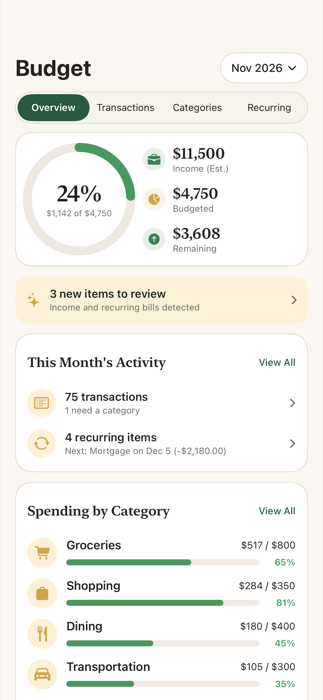
Budgets that make sense
Automatic categories, monthly limits and a clear view of spending.
Who it is for: Individuals and households.
Automatic categories you can change, monthly limits, and a clear view of spending against them.
How it works
- Spending is grouped into categories automatically.
- Set a monthly limit for the categories you care about.
- Change a transaction’s category or exclude it from your budget if needed.
Limits
- Anything that changes your budget is shown to you first and applied only after you confirm it.
Related help
Next step
See how Nuvoshi Wealth works from start to finish, or get help. Questions about this feature? Contact support.